Every Remote in the Household Re-Paired in One Visit — Including Your Car's HomeLink
Lost remote access eliminated with a full memory clear before re-pairing.
You lost a remote. It's gone. That remote still works. Whoever finds it can open your door. Changing your house lock doesn't fix that — the opener responds to the remote's signal, not a physical key. Handheld remotes, wall keypad, vehicle HomeLink — all re-paired in the same visit.

Multi-remote households are harder to fully re-pair than single-device setups
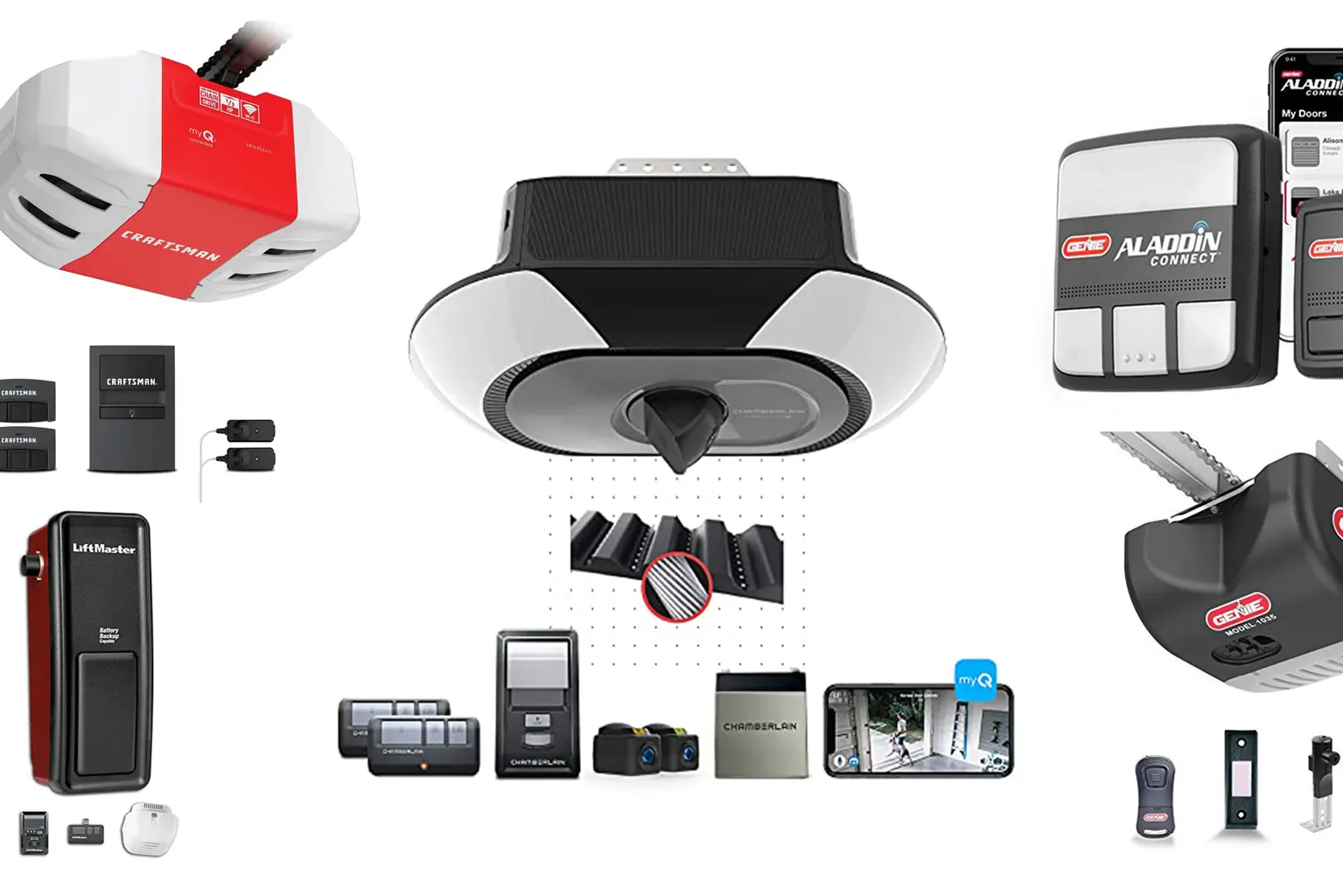
A single household may have two or three handheld remotes, a wall keypad, and two vehicles with HomeLink buttons — potentially six devices on one opener.
When you clear the opener's memory after a lost remote, all six credentials get erased at once. Every single one. The handheld your spouse uses every morning? Gone. The HomeLink button in the truck you rarely drive? Also gone.
The only real fix is a full opener memory clear — erasing all previously paired devices from the logic board at once. Then every legitimate remote gets re-paired from scratch. When we drive away, every device that should work does.
For broader keypad and remote service, see keypads and remotes. For households ready to move beyond standard HomeLink, smart opener with app-based access covers full remote management from any device.
Four Standards That Hold on Every Remote Programming Visit
Full device count first. Memory clear performed correctly for your specific opener. HomeLink completed in-vehicle. Every device tested from operational distance — not just two feet from the motor head.
Full Device Inventory
Before any programming begins — we ask, we count, we confirm. Handheld remotes, wall keypad, every vehicle with HomeLink. Most households have three or four devices they haven't thought about in years. Inventory before memory clear means nothing gets left unpaired.

Memory Clear Verified
Hold duration and indicator-light response verified for your specific opener model. Holding the learn button too short adds a remote instead of clearing. Holding too long on some models triggers a factory reset that affects more than just the remote registry.

HomeLink In-Vehicle
Completed in-vehicle, with the opener's learn button and the car's console buttons activated in the correct sequence. The vehicle has to be parked close enough to the opener — you can't do it remotely. The step most homeowners skip when they handle this themselves.

Operational Distance Test
Every device tested from operational distance — not just two feet from the motor head. A remote that pairs from arm's length doesn't always hold signal at the end of the driveway. Tested from the street, HomeLink from inside the vehicle with the door closed.
"They expect us to program one new remote and leave. That's not how I run the job."
Before I touch anything, I ask how many devices were registered to that opener — handhelds, keypad, vehicles. Then I walk through the actual count with them.
More often than not, the household has three or four devices they haven't thought about in years. A spouse's morning handheld. The HomeLink button in a truck rarely driven. The wall keypad outside that hasn't been replaced since the door was installed.
The learn button — the button on the motor head that puts the logic board into pairing mode — is what controls this. Its location and color vary by manufacturer. Yellow on a LiftMaster, purple or orange on a Chamberlain. A lot of homeowners find it and hold it thinking they're adding a remote — holding it too long clears everything instead. Now they've lost all their remotes and gained nothing.
After I clear the opener's memory, I re-pair each device in sequence. Handheld one. Handheld two. Keypad. Then we go out to the vehicles. The car's HomeLink system needs to be within range of the opener's learn button at the same time — you can't do it remotely. I walk through the vehicle HomeLink sequence with the homeowner right there in the driveway.
That step gets skipped when homeowners try to handle this themselves — they end up calling back a week later because the car button stopped working. Brown Deer on a Thursday afternoon, Menomonee Falls on a Sunday evening. Same process both times. Every device confirmed working before I leave.
A full memory clear and re-pair upgrades your security — not just restores it
Rolling code — the security protocol in virtually every garage door remote made after 1993 — generates a new access code after every single use.
The remote and opener stay synchronized. A signal intercepted by someone nearby is already expired by the time they try to reuse it. When I clear the opener's memory and re-pair your remotes, the rolling code sequence resets. Fresh synchronization point.
The lost remote's last code is no longer valid — and the entire old code series is gone. You're not just locking out the lost remote. You're starting a new synchronized sequence with only the devices you control.
That's a meaningful security improvement. It's one of the reasons we don't just add a new remote to the system when one is lost. We start clean.
If you've ever noticed your door opening on its own unexpectedly, a compromised or cloned remote signal is one possible cause — which is exactly why a full memory clear matters rather than simply adding a new device.
Count, Clear, Re-Pair — Then Test From the Street
Same sequence every visit. Device count first. Memory clear second. Each device re-paired in order. Operational distance test before sign-off — including HomeLink from inside the vehicle with the door closed.
Count & Identify
How many remotes, which vehicles have HomeLink, whether there's a wall keypad in use. Opener model identified — learn-button location on a LiftMaster belt-drive is different from a Genie screw-drive from 2008. Frequency interference checked: LED bulbs with unshielded drivers can block the receiver.
Clear & Re-Pair
Memory clear comes first — learn button held the correct duration for your model until the indicator confirms. Each handheld, the keypad, and the vehicle HomeLink buttons re-paired in sequence. HomeLink requires the vehicle parked close enough to the opener — activated through the correct procedure for that system's generation.
Test From the Street
Every remote tested from operational distance. A remote that pairs from two feet doesn't always hold signal at the end of the driveway. HomeLink tested from inside the vehicle with the door closed. Keypad tested from its mounted position. Indicator light status confirmed normal before sign-off.
Lost a remote? Whoever finds it can still open your door.
Tell us how many devices need re-pairing and which opener brand you have. We'll confirm the visit window and come prepared for your specific system — including in-vehicle HomeLink.
Three Reprogramming Scenarios We See Most Across Milwaukee
Same standards across all three. Different starting points — lost remote, intermittent failure that's actually interference, or a self-service reset that erased everything.
Full Clear, Full Re-Pair
One handheld lost. The remote still works — whoever finds it can open the door. Full memory clear, then every legitimate device re-paired: handhelds, keypad, both vehicles' HomeLink. Rolling code sequence resets to a fresh synchronization point. Old code series gone.
Interference, Not Pairing
Remote stopped working — but the cause is frequency interference, not a lost pairing. Nearby LED bulbs with unshielded drivers can block the opener's receiver signal. Reprogramming won't fix an interference problem — that requires a different diagnosis. RF interference ruled out before assuming the remote is faulty.
Held Too Long, Lost Everything
Homeowner found the learn button, held it thinking they were adding a remote. Held too long — cleared everything instead. Now no remotes, no keypad, no HomeLink. Same recovery: full re-pair sequence, every device in inventory back online before we leave.
Frequently Asked Questions
Most remote programming visits take 45 to 75 minutes. Window covers device count, memory clear, re-pairing each remote, and in-vehicle HomeLink programming. Households with four or more devices run closer to the 75-minute end. Every device confirmed working before the technician leaves.
Your HomeLink lost its pairing when the opener memory was cleared. HomeLink is erased along with every other device when the logic board memory resets. It must be re-paired separately, in the vehicle, with the opener’s learn button active at the same time. This step is completed on every programming visit.
A full memory clear is the only reliable way to remove a lost remote’s access. Most residential openers cannot delete a single remote’s credential — they can only erase all registered devices at once. Re-pairing every legitimate device after the clear takes one visit and closes the access gap completely.
A dead battery or frequency interference causes most remote failures — not a lost pairing. Radio frequency interference is checked before assuming a pairing problem. Nearby LED bulbs with unshielded drivers can block the opener’s receiver signal. Reprogramming will not fix an interference problem; that requires a different diagnosis.
Every device in the household is reprogrammed — not just the one replacement remote. A single-remote swap leaves the lost remote’s credential active in the opener’s memory until a full clear is performed. The crew also handles in-vehicle HomeLink programming, which requires standing at the motor head simultaneously — a step most homeowners skip entirely.
All devices are programmed in a single visit — handhelds, keypad, and HomeLink — so there’s no separate charge per device. Call (414) 296-9783 for current pricing on your specific opener brand and the number of devices that need re-pairing.
Remote Programming Across the Milwaukee Metro
All major opener brands — LiftMaster, Chamberlain, Genie, Craftsman, Marantec, Linear. Each has its own learn-button location and pairing sequence. Service runs Mon–Thu and Sun 7AM–9PM, Fri 7AM–4PM. Saturday closed.
One visit. Every device. No remote left behind.
Tell us how many devices need re-pairing and which opener brand you have. We'll come prepared for your specific system.
(414) 296-9783